Boxed - 2.5d Level Editor
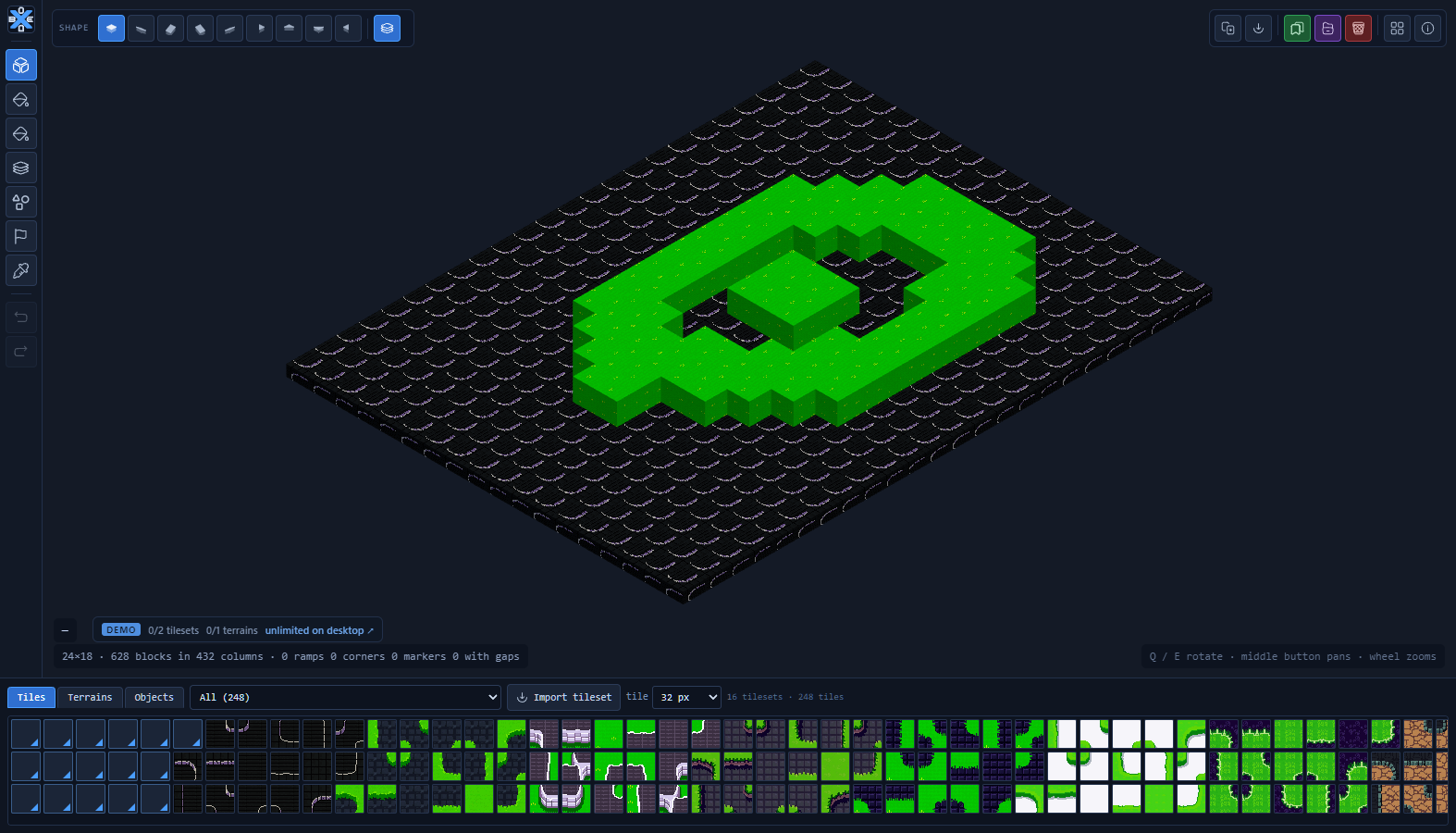
Boxed is a level editor for tile-based games that gives your maps height. You draw on a square grid the way you always have, and every cell can rise, step, ramp and bridge — rendered in real 3D, at a fixed 35° view, with your pixel art kept crisp.
It is not a modelling tool. There are no vertices, no meshes, no UV unwrapping. There is a grid, there are tiles, and there is height. What comes out is data your game can read — cells, heights, shapes, markers — not a model you would have to interpret.
Try it right here in your browser. The demo above is the real editor, not a video: build, sculpt, paint, place objects, save and export are all open. Two things are capped — see Demo limits at the bottom.
Why it exists
Tools like Crocotile and Sprytile build meshes for scenery. Boxed builds a grid with height. If your game is a tactics game, a roguelike, a puzzle or anything that asks "can this unit stand here?", that difference is the whole point: the editor speaks the same language as your gameplay code.
Getting started
- Press 1 and left-click the board to raise a block. Right-click to carve one away.
- Click a tile in the strip at the bottom, then press 2 to paint the top of a cell, or 3 for its sides.
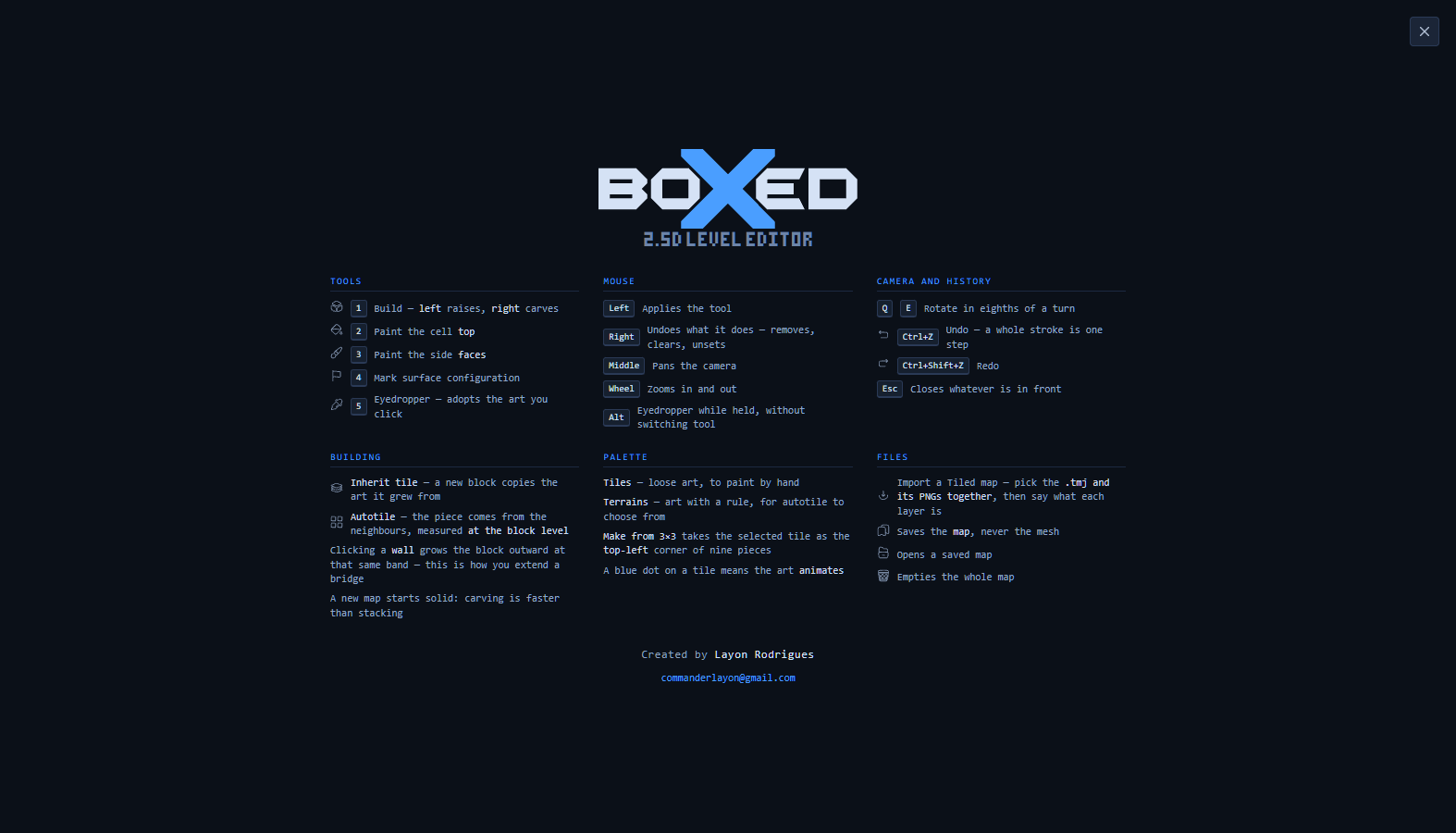
- Hit F1 at any time for the full shortcut sheet.
A new map starts solid on purpose. Carving out of a block is faster than stacking from nothing — and an empty board has no surface to click on.
Adaptive tiles
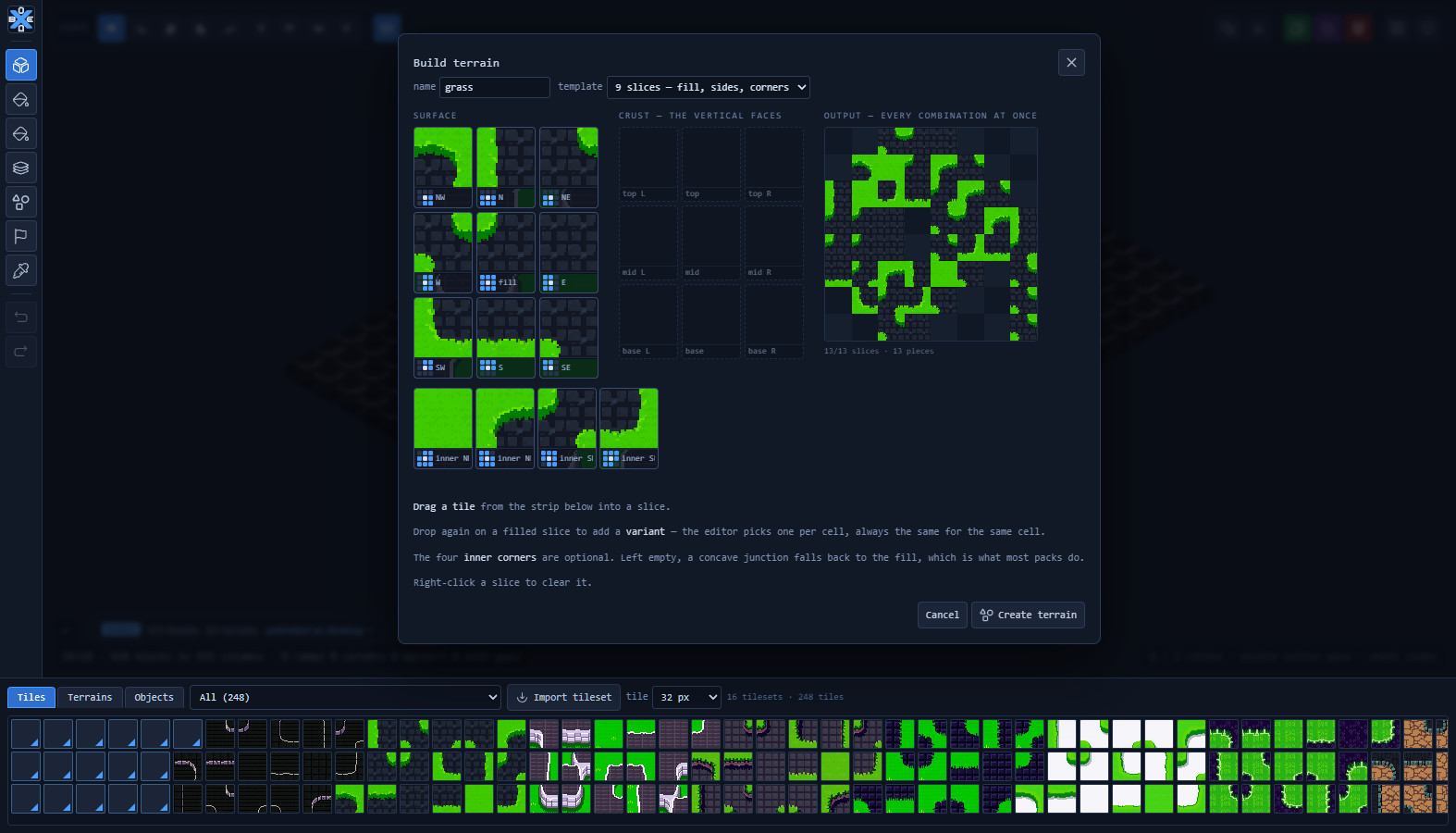
An adaptive tile is not a piece of art, it is an intention: "this is stone". Which of its thirteen pieces appears is decided by the neighbours, every time the map is rebuilt. Paint a blob and the edges, outer corners and concave junctions resolve themselves.
They sit right in the tile strip with a blue corner mark — there is no "autotile mode" to switch on, because the behaviour belongs to the art, not to the tool.
Build one under Terrains → Build terrain: drag a tile into each slice of the template and watch the live output panel assemble every combination as you go. The four inner corners are optional; left empty, a concave junction falls back to the fill. Drop a second tile on a filled slice to add a variant — the editor picks one per cell, deterministically, so the same map always looks the same.
Already have terrain sets from Tiled? Import the tileset and they come across as adaptive tiles with nothing to configure.
Height-aware, which nothing off the shelf is
In a flat tilemap a neighbour is one of the eight cells around. Here a cell has height, so two cells can be neighbours on the plan and never touch — a bridge on level 3 passes over a corridor on level 0. Boxed measures the neighbourhood per level, which is why autotiling stays correct exactly where a map gets interesting.
Objects
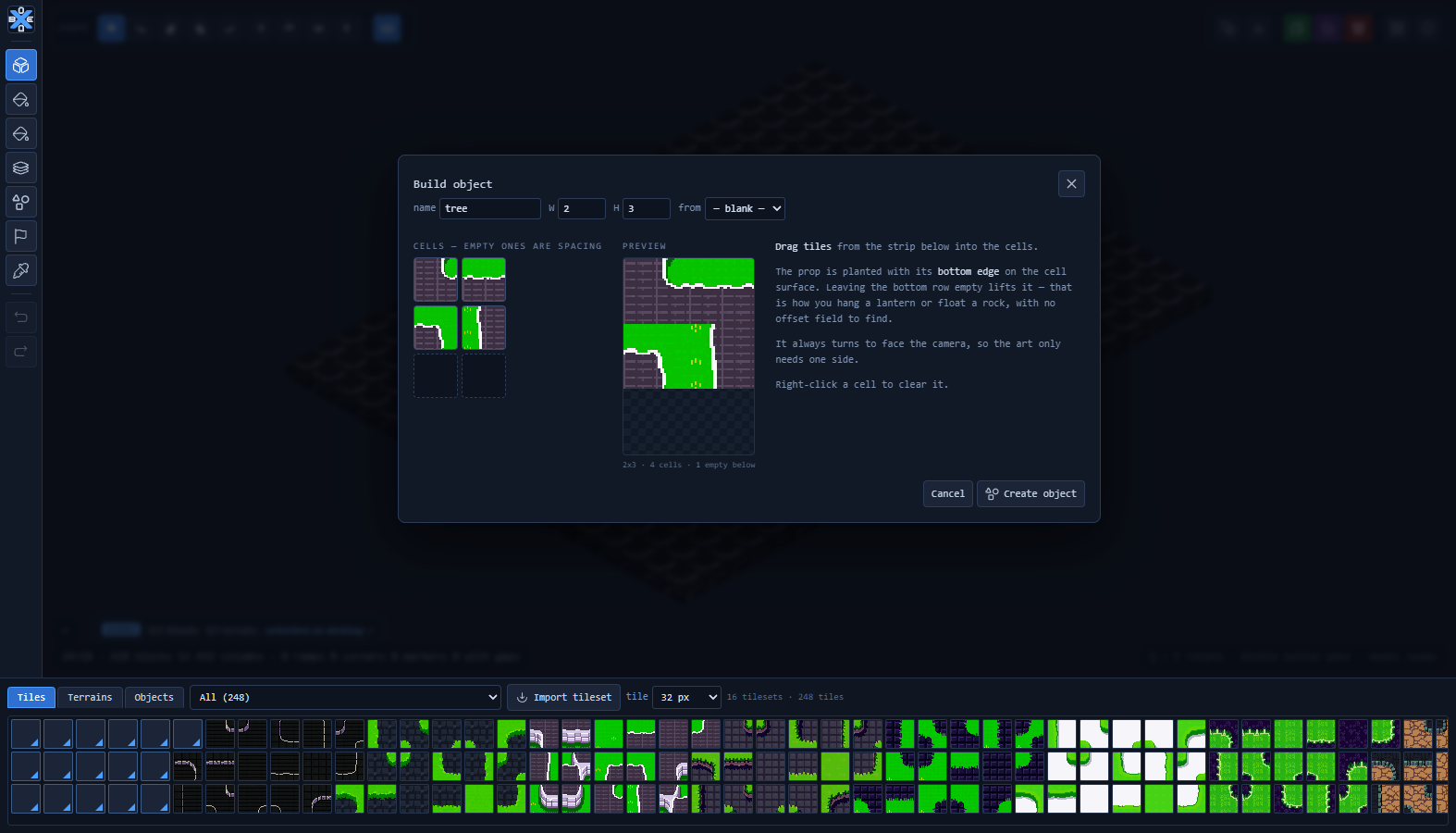
Trees, rocks, posts, columns. Assemble one from a grid of cells under Objects → Build object, choose its size in squares, and plant it. It stands upright and always turns to face the camera, so the art only ever needs one side.
Leaving the bottom row of the grid empty lifts the object by a cell — that is how you hang a lantern or float a rock, with no offset field to hunt for. You can also start a new object from an existing one and edit the copy.
Import from Tiled
Open a .tmj map together with its PNGs and tell Boxed what each layer is — floor, wall, water, detail, ignore. Layers sharing a role are flattened per cell, which is what stops decoration from punching holes in your walls: in 3D each face carries a single texture, and most pack tiles have transparent pixels.
Tile flips are honoured. Animated tiles keep animating. Tilesets with margin and spacing slice correctly.
Tools
| 1 | Build — left raises, right carves |
| 2 / 3 | Paint the top / the side faces |
| F | Fill — floods the region of the same art and the same height |
| 4 | Mark — spawns, cover, line-of-sight blockers, water, objectives |
| 5 | Eyedropper — adopts the art you click. Hold Alt for the same without switching tool |
| 6 / 7 | Decal over a cap / stand an object upright |
| G | Toggle the cell grid |
| Q / E | Rotate the camera in eighths |
| Ctrl+Z | Undo — a whole stroke is one step |
Hold Shift and click to draw a straight line from the last cell; hold Ctrl to fill the rectangle between them. On a grid seen in perspective, freehand never comes out straight.
Layers, not modes
Every cell carries its volume, a decal drawn over the cap, and an object standing on it — independently. Erasing a crack does not knock down the wall it sits on; raising a wall does not eat the tree. Nothing to lock, nothing to switch.
Your work is safe
Boxed saves a draft on its own a couple of seconds after you stop drawing, so closing the tab by accident costs you nothing. Saving by hand writes the whole project — the map, the tilesets, the terrains, the objects — into a single file that opens correctly on any machine.
What's included
Sixteen Wang tilesets at 32×32 to start with, covering grass, obsidian, marble, ruins, sci-fi panels, dirt and war-torn ground. Import your own at any time: 16, 32, 64 px or a custom size.
Demo limits
The browser version is the full editor with two caps:
- 2 imported tilesets — the sixteen that ship with it do not count
- 1 terrain of your own — enough to build one and watch all thirteen pieces resolve themselves
Everything else is open, including saving and exporting. The desktop version removes both caps, runs offline in its own window, and opens anything you made in the demo unchanged, tilesets included — nothing to redo.
Windows is unsigned, so SmartScreen will warn on first run: More info → Run anyway.
Credits
Built by Layon Rodrigues. Interface icons from Reicon (MIT). Rendering with three.js. The bundled demo tilesets were generated with PixelLab.
Support
Boxed is made by one person. If it saved you time and you want to help it keep growing, you can buy me a coffee on Ko-fi — entirely optional, and it goes straight into the next features.
Purchase
In order to download this level editor you must purchase it at or above the minimum price of $1 USD. You will get access to the following files:
Development log
Leave a comment
Log in with itch.io to leave a comment.